


Spray Coater Software Guide
Spray Coater

Captions
- Turn the system on and allow the stage to home.
- Turn the solenoid on, control hotplate and coating direction in the settings menu.
- For programmed depositions, use the navigation buttons to define coating speed and number of deposition cycles.
- Do this for each stage of your deposition.
- Press play to start the programmed deposition.
- The progress bars will show deposition progress.
- The top bar shows stage progress and bottom bar shows overall progress.
- For Manual depositions, you can define speed, then use the navigation buttons to move the stage forwards and backwards.
- The internal solenoid will supply gas to the regulators when the spray coater moves forward.
Learn More
 Spray Coater Assembly Guide
to start assembling the Ossila Spray Coater use screws to fix shafts to the underside of the spray coater. Align the gantry on the shafts, select appropriate height and fix in place.
Read more...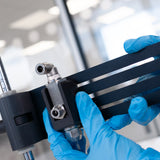 Spray Coater Air Atomizing Head Assembly
Internal vs. external mixing refers to whether the spray coating droplets are formed inside or outside the spray coating head. In internal mixing spray heads, the movement of pressurized gas past the liquid reservoir draws solution out, forming an atomized stream.
Read more...Contributing Authors
Written by
Application Scientist
Videography & Diagrams by
Graphic Designer